Company
How Cal.com Rebuilt AppSec After Going Closed Source
How Cal.com consolidated noisy security tooling into one continuous, context-aware pull request security program with Gecko.
Gecko Security
 Gecko Security15 min read
85% of production container images contain high or critical CVEs, privileged containers escape to the host through exposed device mounts, and shared bridge networks let compromised containers probe adjacent services without restriction. Docker container security spans image scanning before registry push, build-time hardening that shrinks the attack surface, runtime configuration that strips dangerous capabilities, and network segmentation that isolates workloads.
TLDR:
--privileged or mounting /var/run/docker.sock grants root-equivalent host access--cap-drop ALL, --read-only, and seccomp profiles block privilege escalationDocker container security covers the practices, tools, and configurations that protect containerized workloads from exploitation, privilege escalation, and lateral movement. Containers share the host kernel instead of running isolated VMs, which changes the attack surface fundamentally. A misconfigured container can expose the host; a compromised one can reach adjacent services through shared networks.
The scale of exposure in 2026 makes this worth treating seriously. 85% of production container images contain high or critical vulnerabilities, and breaches rarely stay confined to the container where they start. Container orchestration, shared registries, and service mesh architectures mean one weak image can become a foothold across an entire deployment.
Docker containers introduce a specific set of attack surfaces that stem from how they share the host kernel and how images are built, distributed, and run. Understanding where real-world breaches originate helps teams focus hardening efforts on the areas that matter most.
Running containers with the --privileged flag removes nearly all namespace and capability restrictions, giving container processes direct access to host devices, kernel modules, and filesystems. An attacker who compromises a privileged container can write to /proc/sysrq-trigger, mount the host filesystem, or load a kernel module to achieve full host compromise. This is one of the most frequently exploited misconfigurations in Docker deployments.
Base images pulled from Docker Hub often carry unpatched CVEs in their OS packages and language runtimes. A 2022 Snyk analysis found that the majority of official Docker images contained at least one high-severity vulnerability. Images tagged latest compound the problem because they silently pull in new package versions without triggering a security review.
The Docker daemon socket at /var/run/docker.sock grants root-equivalent access to the host. When this socket is mounted into a container, any process inside that container can spawn new containers, modify running ones, or read host filesystem paths by mounting volumes. This pattern appears frequently in CI/CD pipelines and monitoring agents, often without teams recognizing the privilege level it conveys.
Secrets written into image layers remain recoverable from intermediate layers even after a subsequent RUN rm command removes the file. Anyone with pull access to the image can extract those secrets with docker history or by inspecting the layer tarballs directly.
By default, containers on the same Docker bridge network can communicate freely with one another. Without explicit network segmentation, a compromised container can probe and attack sibling containers, internal services, or metadata endpoints like the 169.254.169.254AWS instance metadata service at 169.254.169.254, which can expose cloud credentials without any authentication.
Docker images are the foundation of every container deployment, and vulnerabilities in base images or dependencies can expose the entire stack before a single line of your application code runs. Image security covers two distinct concerns: what goes into an image at build time, and what vulnerabilities exist in the layers you pull from registries like Docker Hub.
Several tools exist specifically for scanning Docker images against CVE databases. The most widely used include:
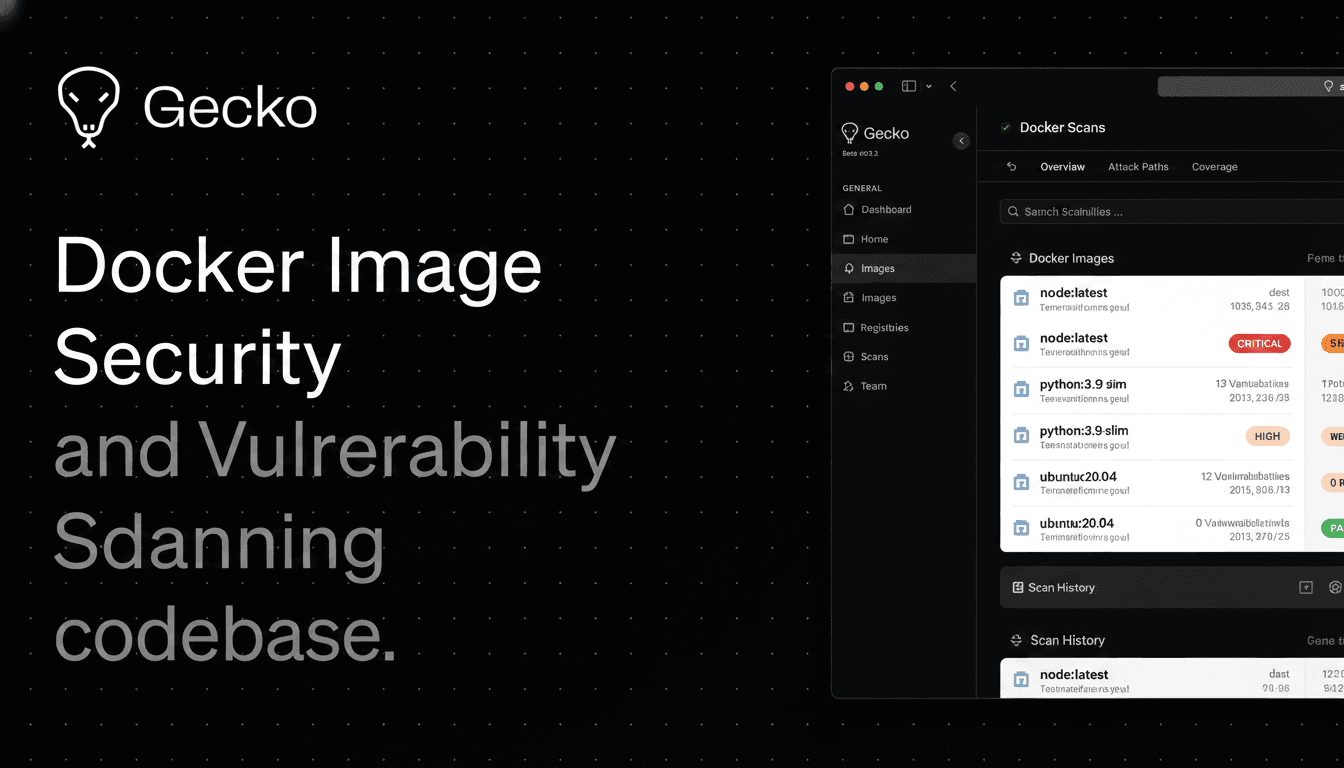
Running any of these as part of a CI/CD pipeline catches vulnerable packages before images reach production. The docker scout cves command, for example, returns a structured list of CVEs by severity for a given image tag.
Scanning finds what's already broken. Build-time hardening reduces the attack surface before scanning even runs.
FROM node:20.11.1-alpine3.19 instead of FROM node:latest prevents silent layer changes between builds.USER appuser in your Dockerfile after creating a dedicated user. Containers running as root escalate trivially to the host if namespace isolation breaks.--user UID at runtime, separate from the build-time USER instruction, so any orchestrator-level overrides remain explicit and auditable instead of silently inherited.RUN, COPY, and ADD instruction creates a layer that persists in the image history. Use build secrets via --secret flag or multi-stage builds to keep credentials out of the final image.Pulling an image by tag gives no cryptographic assurance that the image matches what was built and tested. Docker Content Trust (DCT) and Sigstore's Cosign both allow signing images at push time and verifying signatures at pull time, so a tampered image in a registry is rejected before it runs. For teams operating at scale, integrating signature verification into admission controllers (Kubernetes OPA/Gatekeeper, Kyverno) blocks unsigned images from being scheduled entirely.
Runtime configuration determines whether a container can be weaponized even if the image is clean.
A misconfigured runtime is often more dangerous than a vulnerable image because it hands an attacker capabilities they would otherwise never have. The controls below apply at container startup and should be treated as required, not optional.
--cap-drop ALL, then re-add only what the process requires with --cap-add. Most applications need none of the default capabilities Docker grants.--read-only and redirect any writable paths to explicit tmpfs mounts, so a compromised process cannot persist changes to disk.--no-new-privileges to block privilege escalation through setuid binaries inside the container. Without this flag, a binary with the setuid bit set can silently gain elevated permissions.--memory and --cpus to prevent a compromised container from exhausting host resources and taking down co-located workloads.--user UID at runtime, separate from the build-time USER instruction, so any orchestrator-level overrides remain explicit and auditable instead of silently inherited.Network segmentation is one of the most consistently overlooked controls in Docker deployments. Containers sharing a default bridge network can reach each other freely, which means a compromised container can probe and attack its neighbors without any additional exploit.
Create dedicated networks for each application stack instead of relying on Docker's default bridge. Containers on separate custom networks cannot communicate unless you explicitly connect them, which limits lateral movement if one container is breached.
docker network create to define named networks per service group, then attach containers with --network at run time.docker network disconnect.Set --icc=false in the Docker daemon configuration to block direct container-to-container traffic on the default bridge. With ICC disabled, containers must route through explicitly defined links or published ports, giving you a clear audit trail of intended communication paths.
Only bind ports that external clients genuinely need to reach. Binding with 127.0.0.1:<port>:<containerport> restricts access to the host loophole instead of exposing the service on all interfaces. Avoid 0.0.0.0 bindings for internal services.
Bridge drivers handle single-host workloads but the default bridge lacks isolation between containers, which is why custom bridges are required for production. Host drivers offer high throughput by sharing the host network namespace directly, though this removes network isolation entirely and should be avoided unless latency requirements demand it. Overlay drivers connect multi-host Swarm or managed clusters and must be encrypted with --opt encrypted to prevent plaintext traffic exposure. The none driver removes all network access and works for fully isolated batch processing jobs.
Encrypt overlay networks in production Swarm or managed environments. Unencrypted overlay traffic travels in plaintext between hosts, exposing service payloads to anyone with access to the underlying network fabric.
Runtime security moves your security posture from static prevention to active detection.
The Linux kernel exposes hundreds of syscalls, but a typical containerized application needs only a fraction of them. Seccomp profiles let you restrict which syscalls a container can make, reducing the attack surface at the kernel level. Docker ships with a default seccomp profile that blocks around 44 syscalls, but writing a custom profile scoped to your application cuts exposure further.
Falco watches kernel-level activity and fires alerts when behavior deviates from a defined ruleset. Suspicious patterns it detects include:
setuid binaries or capability abuse.Running containers with --read-only prevents attackers from writing malicious files to disk, even after gaining code execution. Applications that need writable paths can mount specific tmpfs volumes for those directories while keeping the rest of the filesystem immutable. The combination limits what an attacker can persist after exploiting a vulnerability.
Container runtime logs alone are insufficient. A behavioral baseline captures what normal looks like for a given workload, so deviations stand out. Tools like Falco, Sysdig, and Aqua Security can record normal process trees, network flows, and file access patterns during a profiling window, then alert when production behavior diverges from that baseline. This catches threats that signature-based detection misses entirely.
Scanning container images for vulnerabilities is one of the most direct ways to catch security problems before they reach production. The tools available range from open-source CLI utilities to registry-integrated scanning services, and choosing the right one depends on where in your pipeline you need coverage.
Several free tools have become standard in CI/CD pipelines for Docker image scanning.
trivy image <image-name>.Docker Hub includes a built-in scanning feature for repositories, powered by Snyk, that surfaces vulnerabilities per layer when you push an image. AWS ECR, Google Artifact Registry, and Azure Container Registry each offer their own native scanning integrations that run automatically on push and expose findings through their respective consoles or APIs.
trivy image --severity HIGH,CRITICAL nginx:latest


trivy image --format json --output results.json nginx:latest


trivy config ./Dockerfile
The --severity flag lets you filter to only HIGH and CRITICAL findings, which keeps CI pipeline output focused on actionable issues rather than noise from low-severity CVEs that may not be exploitable in your specific build.
| Tool | Primary Focus | Database Sources | CI Integration | SBOM Support |
|---|---|---|---|---|
| Trivy | Images, filesystems, IaC, secrets | NVD, OS advisories, GitHub | Native (GitHub Actions, GitLab, Jenkins) | Yes (CycloneDX, SPDX) |
| Grype | Images, filesystems | NVD, GitHub Advisory, OS feeds | CLI-based, any pipeline | Yes (via Syft) |
| Clair | Image layers | NVD, OS-specific feeds | API-based, registry integration | No |
| Docker Scout | Images, SBOMs | Docker curated + NVD | Docker CLI, GitHub Actions | Yes |
Integrating scanners into CI pipelines means vulnerabilities are caught before an image is promoted to a production registry, which is where remediation cost is lowest.
The host machine running Docker is as much a part of your attack surface as the containers themselves. A compromised host means every container on it is compromised, regardless of how carefully you configured them individually.
Start with the host OS. Run a minimal, security-hardened Linux distribution and apply kernel updates regularly. The Docker daemon runs as root by default, which means any process that can talk to the Docker socket effectively has root on the host. Restrict access to /var/run/docker.sock tightly, and audit which users and services have permission to reach it.
--security-opt no-new-privileges on every container to prevent processes from gaining additional privileges through setuid binaries or file capabilities after startup.Namespaces and cgroups provide Docker's core isolation, but they are not a hard boundary. Containers share the host kernel, so a kernel exploit can break containment entirely. Keep the host kernel patched and consider running security-sensitive workloads on container-optimized kernels or with gVisor for an additional syscall interception layer.
Turn on user namespace remapping so container root maps to an unprivileged host user. Without this, a container process running as UID 0 is UID 0 on the host if it escapes. Set userns-remap in the Docker daemon configuration to activate this mapping across all containers on the host.
The Docker daemon itself exposes a configuration surface that is easy to overlook.
| Setting | Secure configuration | |
|---|---|---|
| live-restore | Active, so containers survive daemon restarts | |
| icc (inter-container communication) | Disabled by default; enable only for explicitly linked containers | |
| userns-remap | Set to a non-root user | |
| TLS for remote API | Required if the Docker API is exposed over TCP | |
| log-driver | Set to a centralized logging driver for audit trails |
If the Docker API is exposed over TCP without TLS, any network-accessible process can control the daemon with full root-equivalent power. Require mutual TLS authentication for any remote API access, or keep the API socket-only and proxy access through a tool with its own authentication layer.
Before any container reaches production, every item below should have a clear answer. Controls are grouped by layer so teams can assign ownership and track gaps systematically.
latest removed from all Dockerfilesdocker history on the final image--privileged flag absent from all production container definitions--cap-drop ALL applied, with only required capabilities re-added via --cap-add--read-only filesystem set, with explicit tmpfs mounts for any paths that need writes--no-new-privileges set on every container--user, rather than in the Dockerfile--icc=false set in daemon configuration to block unrestricted container-to-container traffic0.0.0.0 port bindings for services that don't need external access/var/run/docker.sock) not mounted into any containeruserns-remap enabled so container UID 0 maps to an unprivileged host userIntegrating these items into your CI/CD pipeline as required gates catches most of them automatically. The remaining host and daemon controls are one-time configuration that belongs in your base infrastructure provisioning, not a post-incident remediation task.
Gecko Security brings AI-native application security analysis to Docker environments, going well beyond what traditional scanners find by reasoning over a compiler-accurate semantic model that traces vulnerabilities across container boundaries, service interactions, and infrastructure configurations.
Where conventional docker security scan tools flag known CVE matches in base images, Gecko traces how a misconfigured container interacts with adjacent services to produce exploitable attack paths. A vulnerability isolated behind a VPN carries fundamentally different risk than the same flaw exposed on a public API endpoint. Gecko surfaces that distinction with evidence, rather than a severity score.
The result is a shorter path from scan to remediation: developers receive actionable findings tied to their actual container architecture, not a flat list of matches against a vulnerability database.
Container security is a system, not a checklist. Scanning images stops known CVEs, runtime isolation limits what a compromised container can reach, and network segmentation blocks lateral movement, but each control only works if the others hold. A single weak link collapses the stack, which is why the most effective posture treats every item in this guide as required and enforces it in your build pipeline before a human can override it. Grab 30 minutes with us if you want to see how Gecko traces the actual exploit paths in your container environment, rather than only the CVE matches in your base images.
No. 85% of production container images contain high or critical vulnerabilities, and breaches typically start with a vulnerability in a base image or OS package. Image scanning is a required control, because vulnerabilities in common base images like nginx:latest or node:latest are exploitable from the moment you pull them.
Both are required, but they catch different problems. Image scanning finds known CVEs in packages before deployment, while runtime monitoring like Falco detects exploitation attempts and privilege escalation after a container starts. Scanning prevents you from shipping vulnerable packages; runtime monitoring catches attacks that exploit zero-days or misconfigurations scanning doesn't see.
Pin your base image to a specific digest instead of using latest, switch to a minimal base like Alpine or distroless, run as a non-root user with USER appuser, drop all capabilities with --cap-drop ALL, and set --read-only filesystem at runtime. These five changes eliminate most common container escape and privilege escalation paths.
Integrate Trivy or Grype into your CI pipeline to scan images on every build, fail the pipeline if HIGH or CRITICAL CVEs are found, and configure Docker Scout to block PRs that introduce new vulnerabilities. Set memory and CPU limits in your orchestrator config, apply a custom seccomp profile, and run containers with --no-new-privileges by default.
Trivy, Grype, and Clair scan for known CVEs at no cost and catch most exploitable package vulnerabilities. Paid tools add runtime behavioral analysis, cross-container attack-path modeling, and infrastructure context that free scanners structurally cannot see because they only analyze the image in isolation, not how it's deployed or what it can reach.
Gecko Security
The latest news, technologies, and resources from our team.
How Cal.com consolidated noisy security tooling into one continuous, context-aware pull request security program with Gecko.
Gecko Security
See what actually changed in the OWASP Top 10 for 2026, from merged SSRF and XXE categories to new supply chain risks and scanner coverage gaps.

Jeevan Jutla
Gecko Security uncovered CVE-2026-21894 in August 2026, an n8n authorization bypass with CVSS 8.8. See why static tools missed it and how to remediate it.
Jeevan Jutla
Security misconfiguration is OWASP A05 for a reason. Learn how deployment context determines exploitability and how to fix gaps in August 2026.
Jeevan Jutla
How do modern AppSec vendors actually compare? This July 2026 capability map covers SAST, DAST, SCA, business logic flaws, and cross-service
Gecko Security
Break down your AppSec stack: what SAST, DAST, SCA, IAST, and pen testing each see — and what they miss. Updated July 2026 by Gecko Security.
Gecko Security
Occasional updates, new content, and insights. No spam; unsubscribe anytime.