How Broken Access Controls in Cal.com Leaked Millions of Bookings and Enabled Complete Account Takeover
 Jeevan Jutla7 minute read
Executive Summary
Cal.com is an open-source scheduling infrastructure that provides a developer-friendly alternative to Calendly. It offers a self-hostable or cloud-hosted platform with calendar syncing, availability management, team scheduling, built-in video conferencing, and an API for embedding booking experiences into any application.
Gecko's AI security engineer discovered several critical and high-impact chained vulnerabilities in Cal.com Cloud that allowed an attacker to perform complete account takeover on any Cal.com user and read or modify any booking, including private meetings with attendee metadata.
Throughout the vulnerability discovery process, Gecko autonomously identified all findings and enabled us to uncover complex multi-step vulnerability chains in a few hours that otherwise could have taken weeks and had slipped past existing tooling and manual penetration testing Cal.com undergoes.
This is what we're building towards at Gecko: democratizing AI-augmented security expertise and turning it into something every developer and security team can use. We're building the infrastructure, tools, agents, and workflows that capture security knowledge and amplify it with LLMs, putting that power directly in people's hands to secure software at scale.
The rest of this post walks through the vulnerability chain and how AI took an unfamiliar codebase and found and validated critical findings.
We would like to thank the security team at Cal.com for their swift response and collaboration in resolving these issues. After these vulnerabilities were reported, they were patched and pushed within a few days.
Gecko's AI SAST: The Tool Behind the Research
Before diving into the vulnerabilities, let's talk about the tool that made this research possible.
Gecko is an AI-powered static analysis platform that approaches code security differently than traditional SAST tools. Instead of pattern matching against predefined rules, Gecko builds a semantic index of your codebase using language servers, the same way your IDE understands your code. This gives us compiler-accurate symbol resolution across files and repositories, which means we can trace complex call chains and reason about business logic in ways that AST-based scanners cannot.
During the indexing process, Gecko identifies endpoints, maps authentication and authorization mechanisms, and builds a graph of how data flows through the application. This allows us to generate accurate proof-of-concepts, scan across microservices, and identify missing authorization on critical code paths.
We're making Gecko free for a limited time. We invite developers, vulnerability researchers, and security engineers to try our preview. Finding vulnerabilities should be as accessible as writing code with AI.
Hunting for Broken Access Controls
Broken access control vulnerabilities exist in virtually every application. As OWASP noted in their 2025 Top 10 List:
"Maintaining its position at #1 in the Top Ten, 100% of the applications tested were found to have some form of broken access control."
Cal.com's mission is to connect 1 billion people by 2031, and being open source is a big part of their philosophy. They have nearly 1,000 contributors and a strong focus on security, which made them a good target to test OWASP's claims against a security-conscious codebase.
Account Takeover via Organization Invite Token
The most critical finding was an authentication bypass in the signup flow that allowed attackers to take over existing user accounts by exploiting organization team invite tokens. When a user is already a member of an organization, the username validation logic incorrectly returns available: true, allowing the signup process to proceed and overwrite the victim's password. This grants the attacker complete access to their account.
The vulnerability stems from three chained bugs:
- The username validation incorrectly approves signups for users already in organizations.
- Email validation only checks within the attacker's organization scope, missing victims in other organizations.
- The database upsert operation uses globally unique email addresses to match users, causing it to overwrite the victim's credentials.
This chain enables any attacker with an organization to take over accounts of users in different organizations by simply knowing their email address.
1. Username Signup Bypasses Org Members
The usernameCheckForSignup function finds existing users by email but only validates availability if they are not organization members.
const usernameCheckForSignup = async ({ username, email }) => {
  const response = {
    available: true,  // Default assumes email is available
    premium: false,
    suggestedUsername: "",
  };

  const username = slugify(usernameRaw);

  // Find existing user by email (global search)
  const user = await prisma.user.findUnique({
    where: { email },
    select: { id: true, username: true, organizationId: true },
  });

  if (user) {
    // Check if user belongs to any organization
    const userIsAMemberOfAnOrg = await prisma.membership.findFirst({
      where: {
        userId: user.id,
        team: { isOrganization: true },
      },
    });

    // Vulnerability 1: Only validates if user is NOT in an org
    if (!userIsAMemberOfAnOrg) {
      // This validation only runs for non-org users
      const isClaimingAlreadySetUsername = user.username === username;
      const isClaimingUnsetUsername = !user.username;
      response.available = isClaimingUnsetUsername || isClaimingAlreadySetUsername;
      response.premium = await isPremiumUserName(username);
    }
    // If userIsAMemberOfAnOrg is true, response.available stays TRUE
    // This allows org members to be "re-signed up" by attackers
  }

  return response;  // Returns { available: true } for org members
};
When a user belongs to any organization, the validation logic is skipped entirely, leaving the available flag at its default value of true. This incorrectly signals that the email is available for signup, allowing the process to continue even though an active account exists. The function should reject all existing verified users regardless of organization membership, but instead it creates a dangerous exception for the exact users most vulnerable to cross-organization attacks.
2. Org-Scoped Validation Doesn't Check Other Orgs
The second validation only searches for existing users within the target organization's scope.
const existingUser = await prisma.user.findFirst({
  where: {
    // Vulnerability 2: Only searches within the target organization
    ...(organizationId ? { organizationId } : {}),  // WHERE organizationId = attacker's org
    OR: [
      // Skip username check in org context
      ...(!organizationId ? [{ username }] : [{}]),
      {
        AND: [
          { email },  // Check for this email
          {
            OR: [
              { emailVerified: { not: null } },  // Email is verified
              { AND: [{ password: { isNot: null } }, { username: { not: null } }] },
            ],
          },
        ],
      },
    ],
  },
  select: { email: true },
});

// This translates to SQL:
// SELECT email FROM User
// WHERE organizationId = <attacker_org_id>  ← Only checks attacker's org
//   AND email = 'victim@email.com'
//   AND emailVerified IS NOT NULL

// If victim is in a different org, query returns NULL
return { isValid: !existingUser };  // Returns true = email "available"
This translates to a SQL query with WHERE organizationId = <attacker_org_id>. When the victim belongs to a different organization, this scoped query returns no results, causing the validator to incorrectly conclude the email is available. The function asks "Does this email exist in MY organization?" when it should ask "Does this email exist anywhere as a verified user?"
3. Global Email Upsert Overwrites Victim
After both validations incorrectly pass, the handler executes a prisma.user.upsert() operation with where: { email }.
if (foundToken && foundToken?.teamId) {
  const team = await prisma.team.findUnique({
    where: { id: foundToken.teamId },
    include: {
      parent: { select: { id: true, slug: true, organizationSettings: true } },
      organizationSettings: true,
    },
  });

  if (team) {
    const organizationId = team.isOrganization ? team.id : team.parent?.id ?? null;

    // Vulnerability 3: Email is globally unique, so this finds any user with this email
    const user = await prisma.user.upsert({
      where: { email },  // Matches victim's email across all orgs
      update: {
        username,  // Changes username
        emailVerified: new Date(Date.now()),
        identityProvider: IdentityProvider.CAL,
        password: {
          upsert: {
            create: { hash: hashedPassword },
            update: { hash: hashedPassword },  // Overwrites victim's password
          },
        },
        organizationId,  // Moves victim to attacker's org
      },
      create: {
        // This block won't execute, victim already exists
        username,
        email,
        identityProvider: IdentityProvider.CAL,
        password: { create: { hash: hashedPassword } },
        organizationId,
      },
    });
    // Victim is now locked out, attacker has full access
  }
}
Since email addresses are globally unique in the database schema, this clause matches the victim's existing user record regardless of organization. The update block then executes, overwriting the victim's password hash with the attacker's chosen password and changing their organizationId to the attacker's organization. The victim is immediately locked out of their account, and the attacker gains full access. All of the victim's data, including calendar integrations, OAuth tokens, bookings, and API keys, becomes accessible to the attacker.
The Attack Flow
The exploit is straightforward. An attacker generates a shareable invite link for an organization they own, producing a URL like https://app.cal.com/signup?token=<64-char-hex-token>. They navigate to the URL and fill in the signup form with any victim's email and a new password. Signup succeeds, and the attacker now has complete account takeover. The victim's original password no longer works. No notification is sent to the victim.
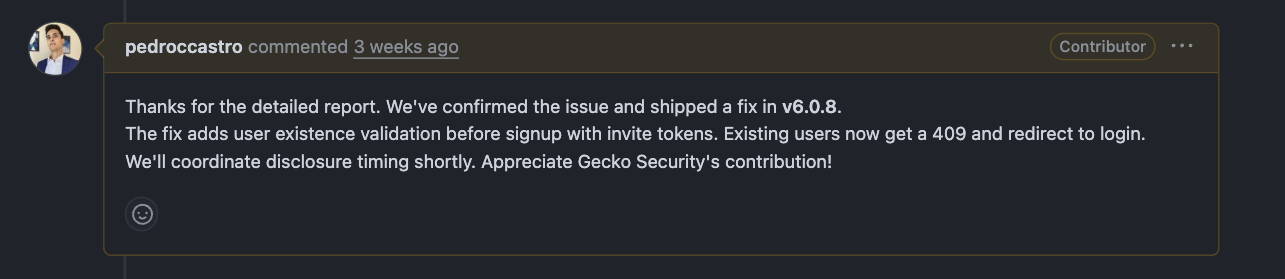
Cal.com fixed this in v6.0.8 by adding user existence validation before signup with invite tokens.
Broken Access Control in Cal.com Bookings Endpoint
The second vulnerability exposed all booking data and user records through two basic flaws: missing access controls on endpoints and Insecure Direct Object References (IDOR).
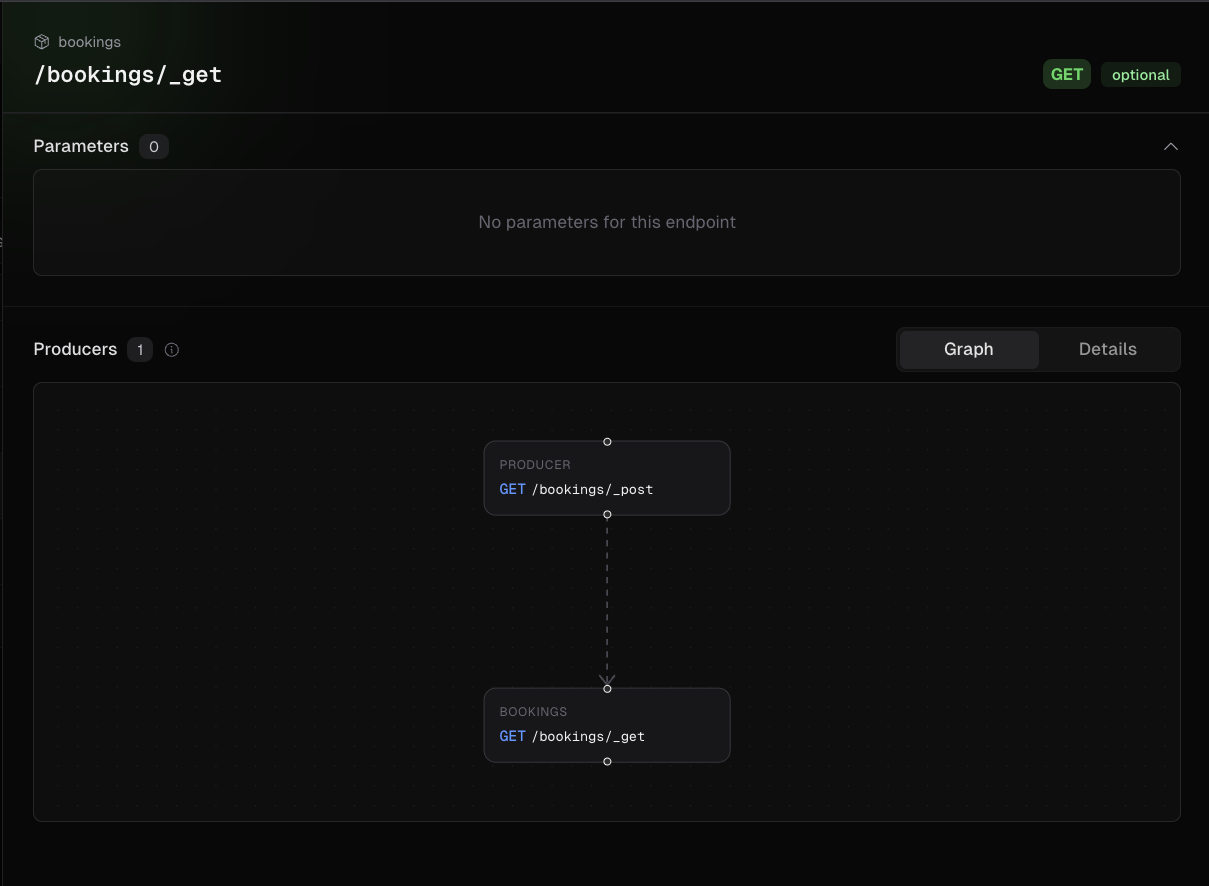
During the indexing process, Gecko enhances its index with contextual information by identifying features like endpoints and assigning attributes to each node, including request paths, HTTP methods, and authentication mechanisms. This allows us to map all producers and consumers and their relationships together, which means we can generate accurate proof-of-concepts with sequential curl commands and identify missing authentication on critical endpoints.
During this phase, Gecko identified four exposed endpoints in the API v1 that used underscore-prefixed files (_get.ts, _post.ts, _patch.ts, _delete.ts) as internal route handlers. The main index.ts entry point properly applied authorization middleware before calling these handlers. However, Next.js exposed these underscore files as directly accessible routes. Accessing these routes directly bypassed all authorization checks.
![Cal.com Bookings Endpoint Graph showing /bookings/[id]/_delete](/caldotcom2.png)
This allowed any authenticated user with a valid v1 API key to read and delete all bookings across the entire platform, exposing:
- Attendee emails, names, and personal details
- Meeting metadata and calendar details
- Complete booking history of other users and organizations
The same pattern affected destination calendar endpoints, allowing any authenticated user to delete any user's destination calendar by ID, breaking calendar routing rules silently.
Cal.com's fix updated the Next.js middleware to block direct access to internal route handlers (/_get, /_post, /_patch, /_delete, /_auth-middleware), returning 403 Forbidden for any request attempting to access these paths directly.
Conclusion and Key Takeaways
This research highlights how broken access control issues exist in virtually every application, and how several subtle bugs in core components can chain together to dismantle security boundaries.
The impact of these vulnerabilities resulted in complete account takeover of any user on Cal.com, including admin accounts and paid users, and exposed all sensitive booking data including PII.
Defense in depth matters. While each individual vulnerability might seem minor in isolation, chaining them together had a significant impact. This demonstrates why layered security is crucial.
The goal now is to democratize this same speed to everyone. Gecko wants to bring this level of automated, AI-assisted detection and validation into security teams' toolkits, so defenders can find and remediate complex chained issues before attackers can stitch them together.
Book a call with us if you'd like to learn more about Gecko and how we can help you find and fix vulnerabilities in your software.